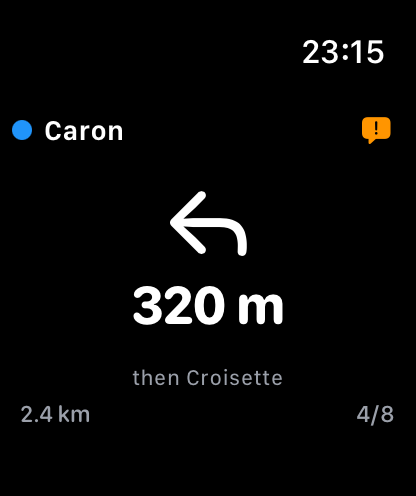
Turn prompts at a glance
See the next turn, piste name, and distance instantly from your wrist while you ski.
Snow navigation. Simplified.
Never get lost on the mountain again
Turn-by-turn ski and snowboard navigation with voice guidance. Like Google Maps, but for the slopes.
Glidr is a turn-by-turn ski and snowboard navigation app for the slopes. Like Google Maps but built for skiers and snowboarders, it gives voice-guided directions across pistes and lifts at ski resorts worldwide, works fully offline once you've downloaded a ski area map, plans full-day itineraries based on your skill level, shares live location with friends via QR code or deep link, and runs on Garmin, Apple Watch and Wear OS. Free to download on the App Store and Google Play.
Real screenshots from the slopes
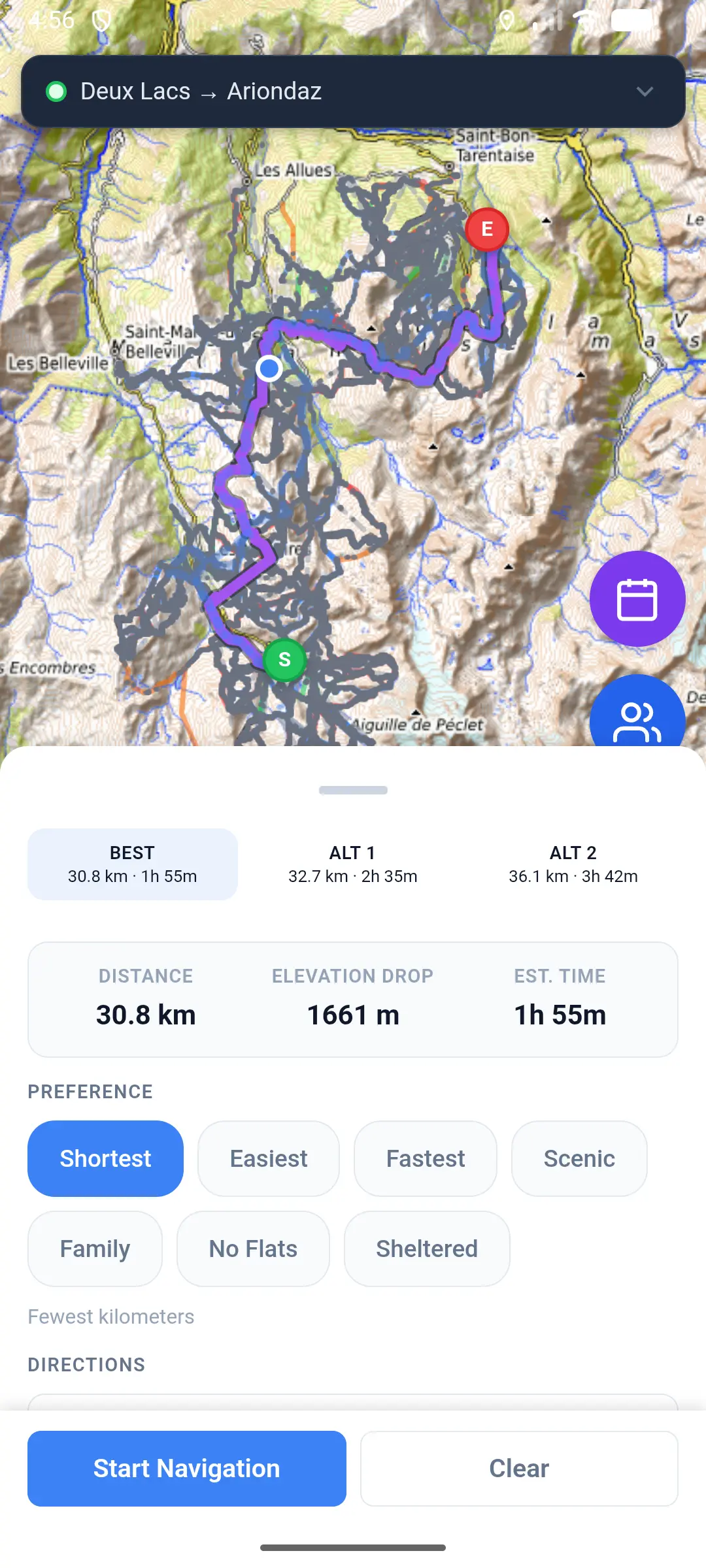
Route planning with alternatives
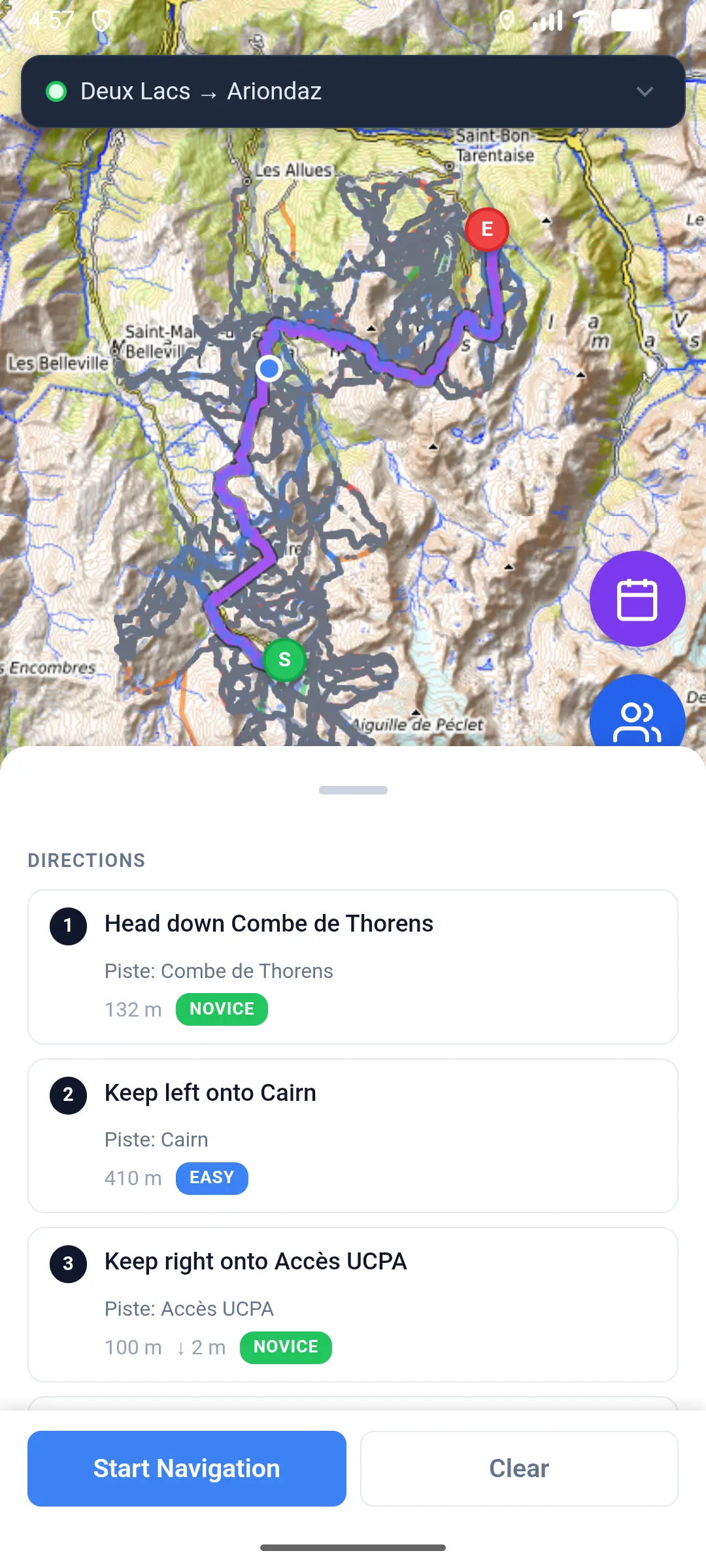
Turn-by-turn piste directions
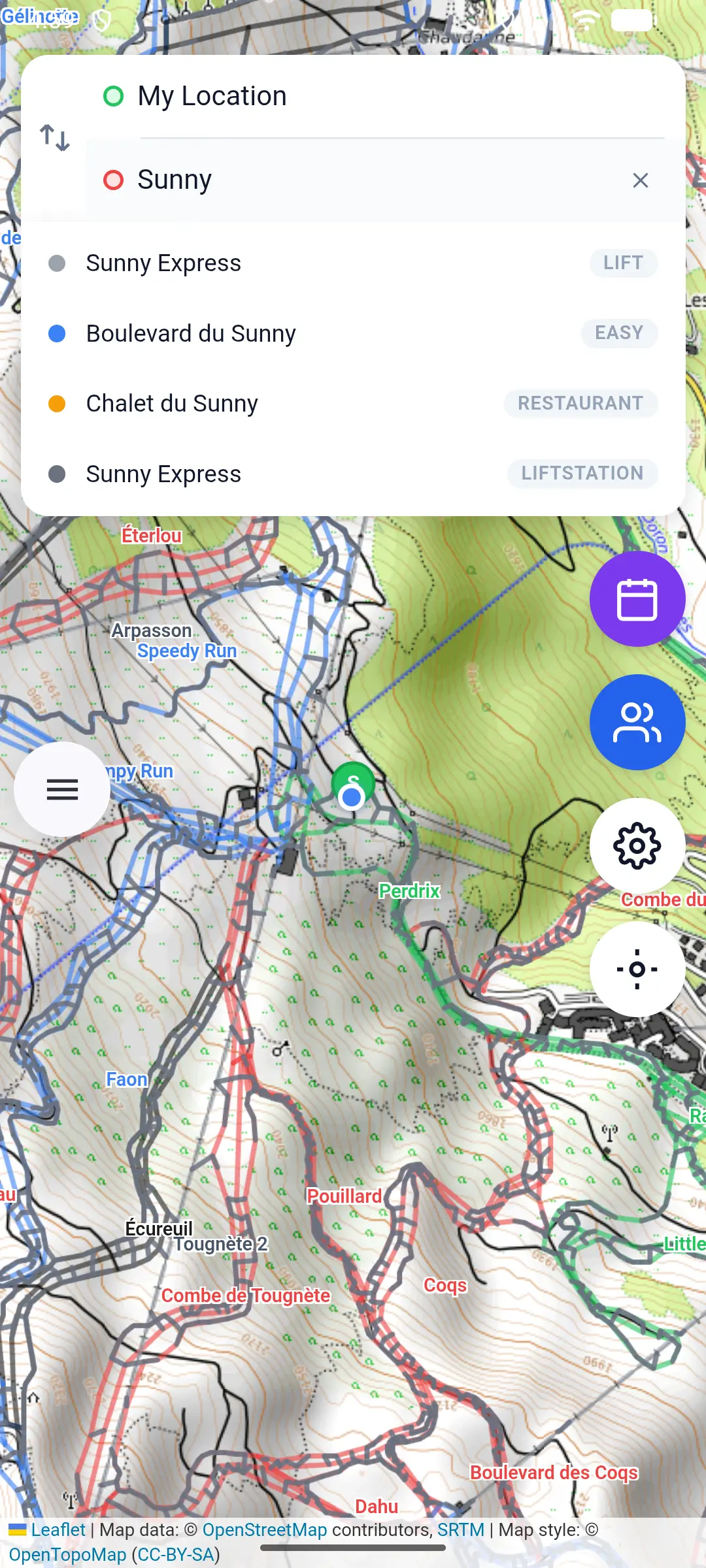
Search pistes, lifts and restaurants
Real-time stats from skiers and snowboarders using Glidr on the mountain
Everything you need to know about Glidr
Glidr is a turn-by-turn navigation app for skiers and snowboarders. Like Google Maps for the slopes — you pick a destination (piste, lift, restaurant or point of interest) and Glidr guides you there with voice instructions and haptic feedback on the route between pistes and lifts.
Yes — once you've downloaded a ski area map, navigation, routing and search all run without mobile data, using only GPS. The Ski Day Planner needs an internet connection to generate an itinerary, but once the plan is created, navigating it is fully offline.
Glidr works at ski resorts worldwide — map data for each resort is downloaded on first use. Live real-time lift and piste open/closed status appears automatically at any resort that exposes a supported lift-status API; today that includes Les 3 Vallées (Val Thorens, Les Menuires, Méribel, Courchevel) and other resorts on the same platform. Where the API isn't available, navigation still works in full — only the live status overlay isn't shown.
Yes. Glidr is built equally for skiers and snowboarders. Routing automatically avoids long flat sections that strand snowboarders and warns ahead of any unavoidable cat-track sections.
Glidr is free to download. Core navigation features are free; a Day Pass is €1.49 and a Weekly Pass is €4.99 for premium features. No subscription, no auto-renewal.
Yes. Glidr speaks turn-by-turn directions on your phone using your device's text-to-speech engine, with multilingual support. Audio ducks Spotify or other music apps when speaking, then resumes.
Yes. Glidr ships companion apps for Garmin Connect IQ, Apple Watch and Wear OS smartwatches. Your watch displays the current piste, next turn, difficulty colour and a direction-specific vibration when it's time to turn.
Yes. Share your live location with your group via a QR code or a shareable deep link — everyone in the group sees each other on the map in real time during the session.
Glidr uses your phone's GPS with positional filtering tuned for skiing: a 15-metre distance filter and a 75-metre off-route threshold across 4 consecutive readings before re-routing. Snap-to-route logic keeps you on the correct piste even when GPS jitters.
Yes. Glidr is available on the Apple App Store for iPhone and on Google Play for Android.
Available now on the App Store and Google Play. Free to download.
Wondering how Glidr stacks up against Slopes, Ski Tracks, FATMAP and OnTheSnow? We break down every feature honestly — including where Glidr isn't the best choice.
Read the honest comparison →In-depth articles on ski navigation, gear, and mountain strategy — written for skiers and snowboarders who want more than a product page.
Navigate any piste at these resorts — offline, with voice guidance.
Australia's highest lifted terrain — 14 lifts, 480 ha
Largest lift network in the southern hemisphere — 47 lifts, 4 linked bases
Closest major resort to Melbourne — 22 lifts, 300 ha
Largest Victorian resort — 14 lifts, ski-in/ski-out village
New Zealand's largest resort by skier days — 400 ha, basin terrain
Queenstown's iconic east-facing ranges — NZ Bowl, Shadow Basin, Sugar Bowl
World's largest linked ski area — 600 km of pistes
Europe's highest base — 2300 m, snow-sure season
Central hub of Les 3 Vallées — traditional Savoyard village
Six villages from Le Praz to 1850 — wide groomers
Most affordable Les 3 Vallées base — ski-in/ski-out
AI-powered day planner creates a personalized itinerary based on your skill level and goals
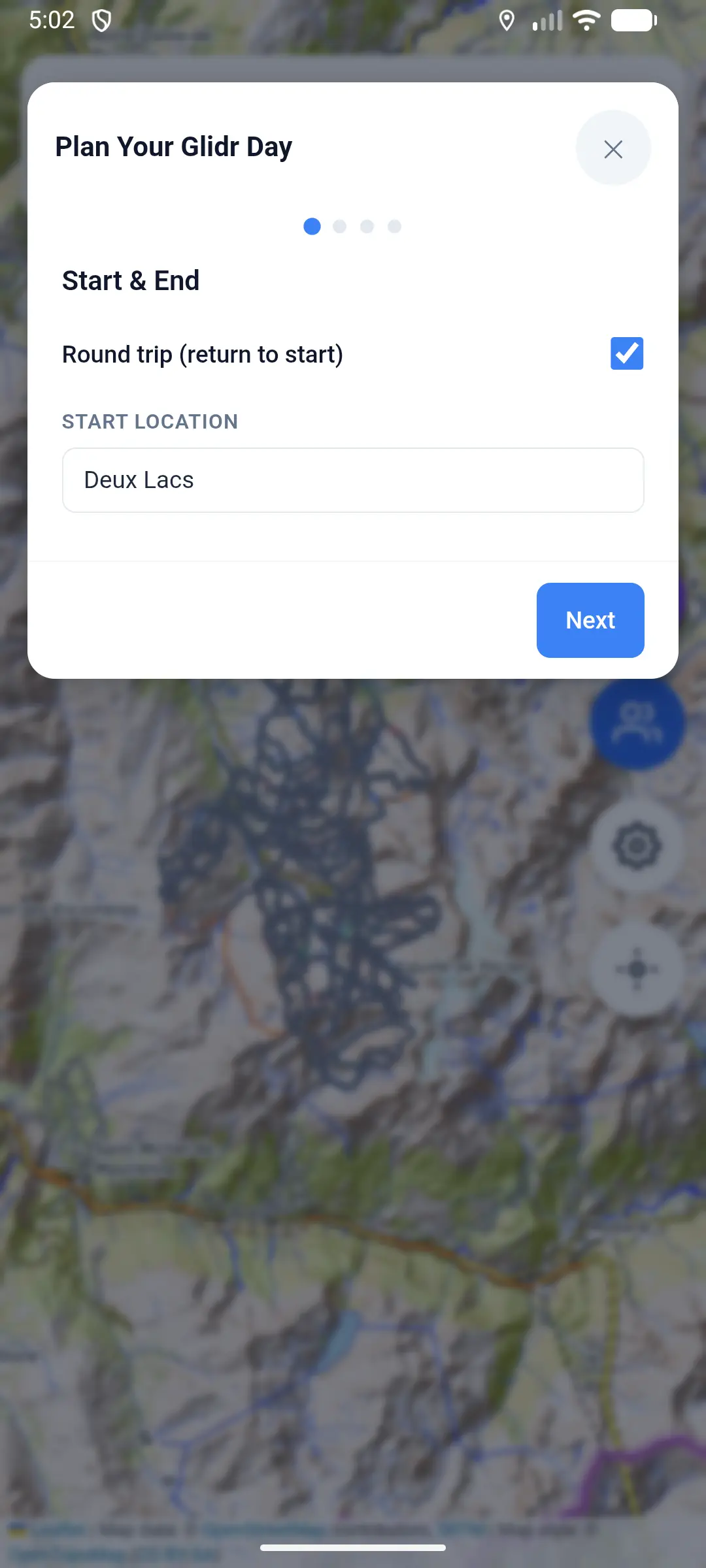
Pick your starting point
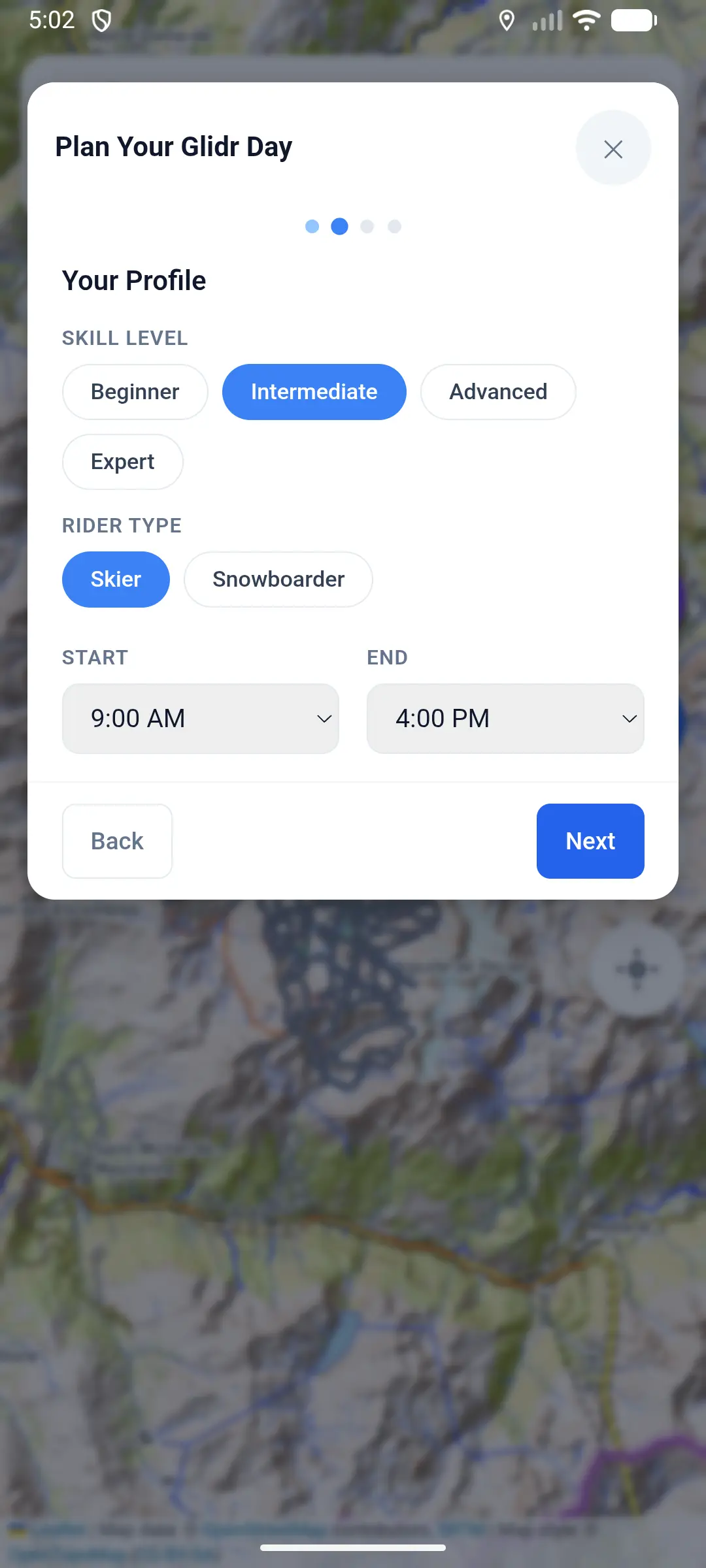
Set your skill and schedule
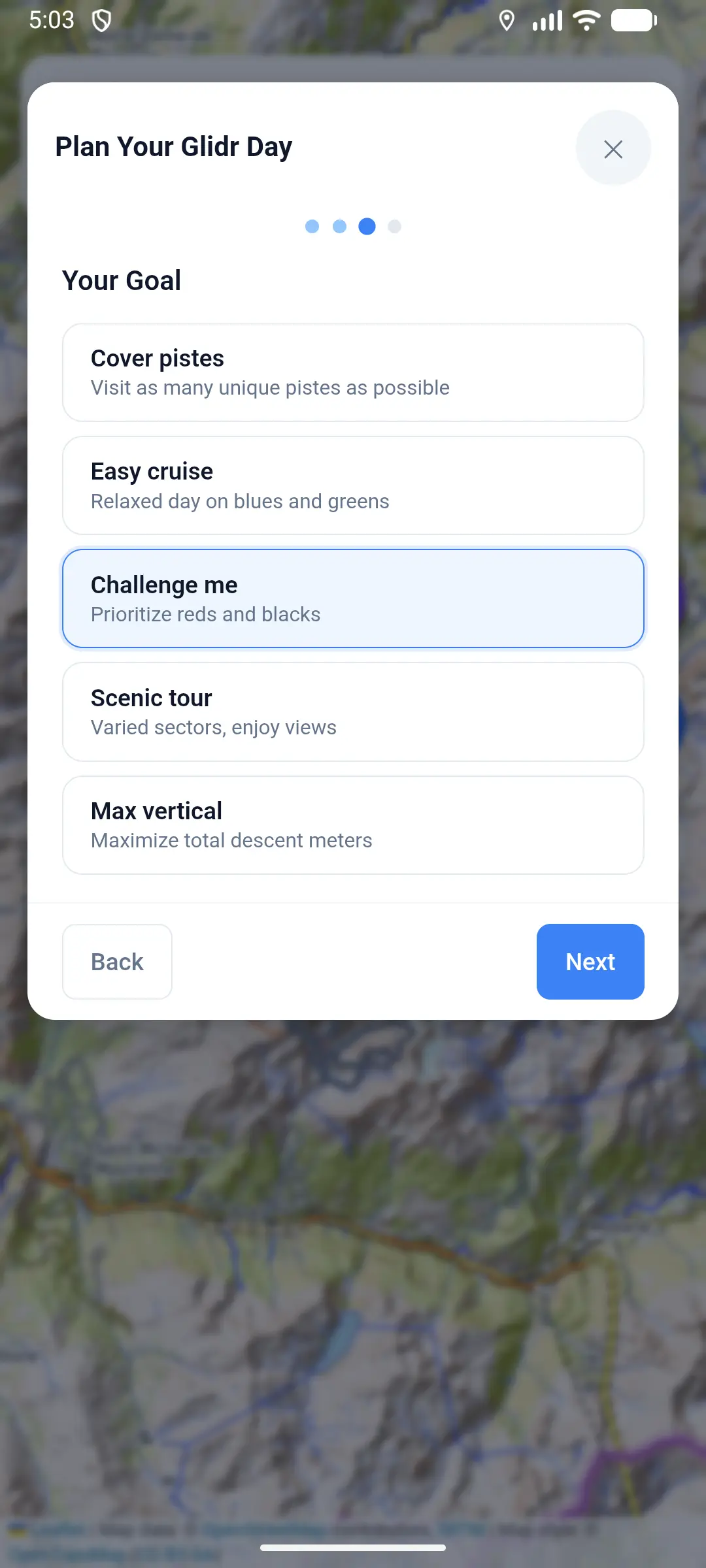
Choose your goal for the day
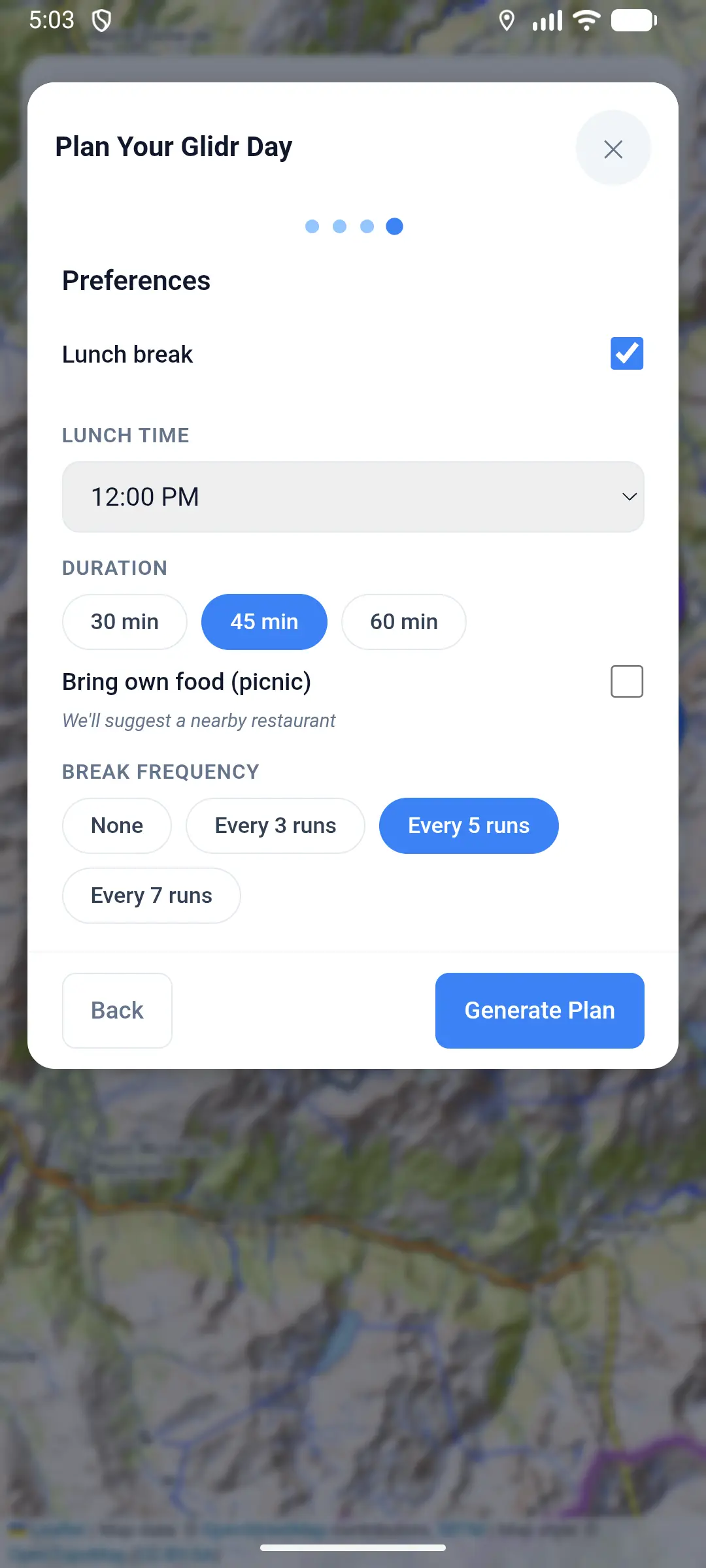
Customize breaks and lunch
Know what's open before you ride (where available)
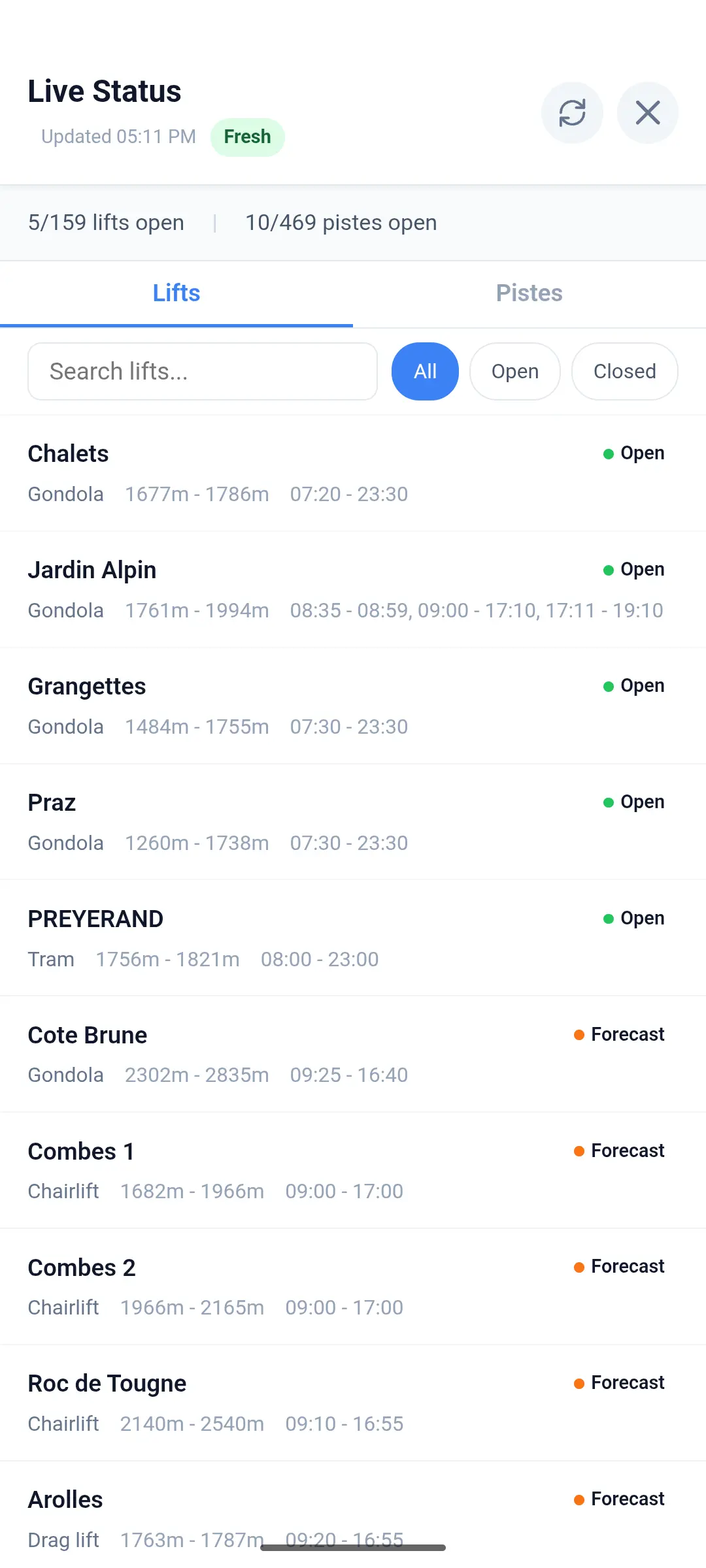
Live lift and piste status with search and filters
Share your location, meet up on the mountain, all in real time
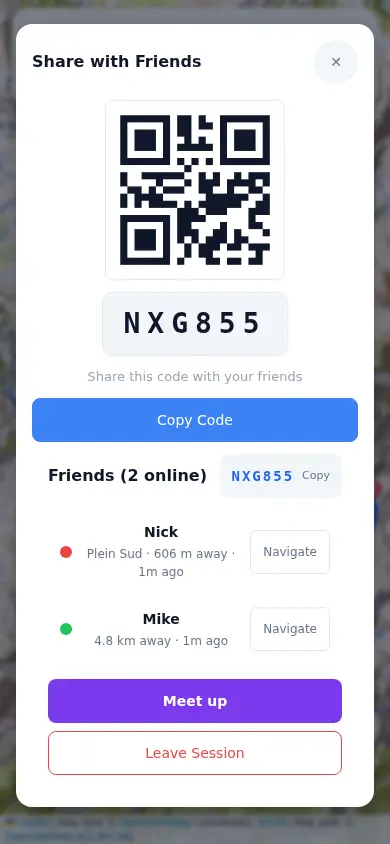
Create a session and share with friends
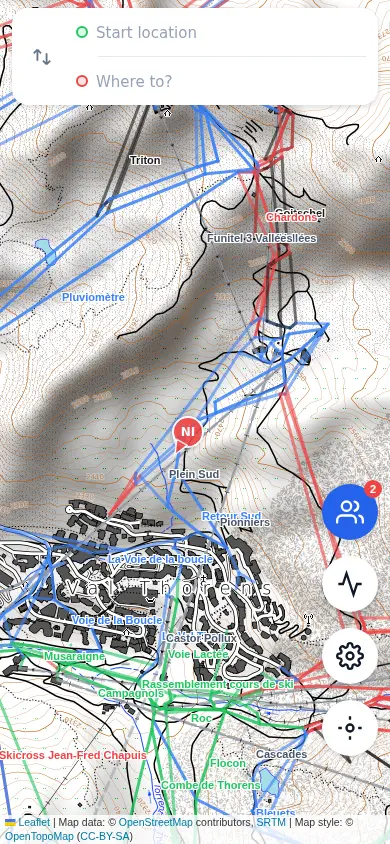
See friends live on the map

Pick who to meet up with
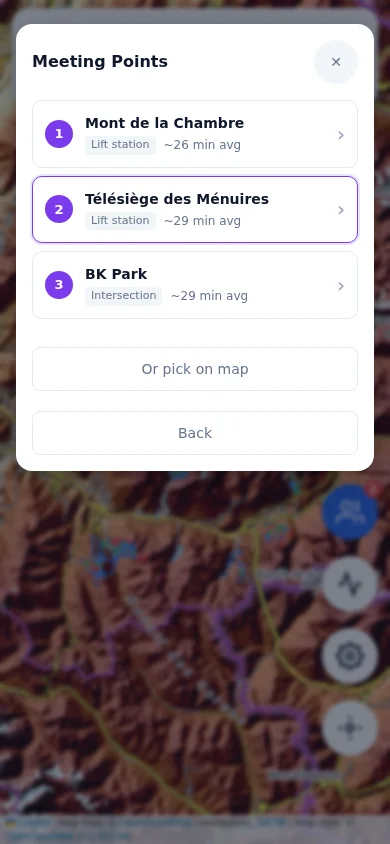
Find the best meeting point
Everything you need for a perfect day on the slopes
Voice-guided directions on every piste and lift. Haptic feedback on your phone when it's time to turn.
Download ski area maps for use without signal. Full routing and navigation work offline — all you need is GPS, no mobile data required.
Share your live location with your group via QR code. See where everyone is on the map in real time.
Real-time open/closed status for lifts and pistes where available (currently Les 3 Vallées). Route around closures automatically.
Avoids black pistes, closed lifts, and flat sections for snowboarders. Routes tailored to your ability.
Find restaurants, mountain huts, toilets and first aid stations. Navigate straight to your lunch spot.
Generate a full-day itinerary based on your skill level, goals, and lunch preferences. Navigate the plan step by step.
See up to 3 route options between any two points. Compare distance, difficulty, and number of lifts before you ride.
Turn-by-turn on your wrist with vibration alerts. Supports Garmin, Apple Watch, and Wear OS.
Download, pick your resort, and ride.
Get Glidr from the App Store or Google Play. It's free to download and takes less than a minute.
Tap to download the map for your resort. This stores all piste data on your phone so navigation works even without mobile signal on the mountain.
Search for a piste, lift, restaurant or any point of interest. Glidr calculates the best route and guides you with voice and haptic feedback. Choose between shortest, easiest, fastest or scenic routes.
Available on Garmin, Apple Watch, and Wear OS
Glidr includes a Garmin Connect IQ data field that displays navigation instructions directly on your watch during a ski activity. See the current piste, turn direction, distance to next turn, and remaining route distance — all without pulling out your phone.
The watch vibrates at each turn so you never miss a direction. It also shows off-route and arrival notifications. Add it as a data field to any ski or snowboard activity on your Garmin.
Get it on Connect IQ StoreFull live device compatibility is listed on the Connect IQ Store page.
Turn-by-turn navigation on your Apple Watch. See directions, report issues, and get haptic alerts without touching your phone.
See the next turn, piste name, and distance instantly from your wrist while you ski.
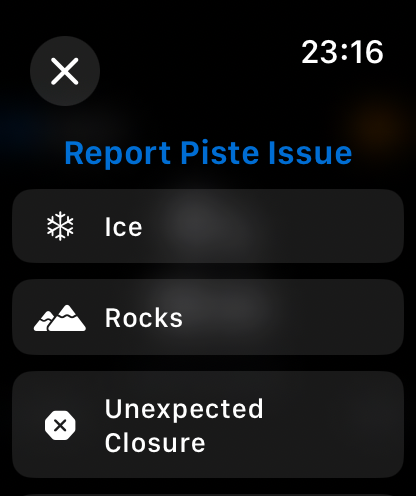
Flag hazards like ice, rocks, or an unexpected closure directly from the watch.
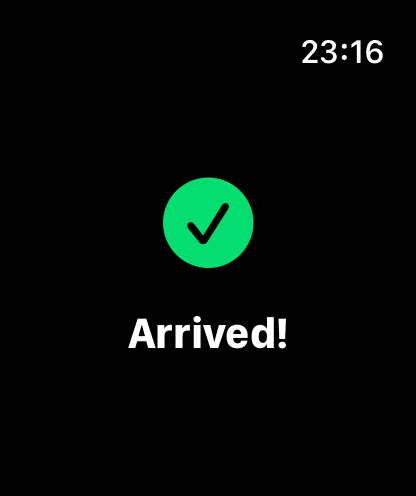
A clear end-of-route state once the destination is reached, with haptic feedback.
Available on Apple Watch Series 6 and later running watchOS 10+.
Turn-by-turn navigation on your Samsung Galaxy Watch, Pixel Watch, or other Wear OS device.
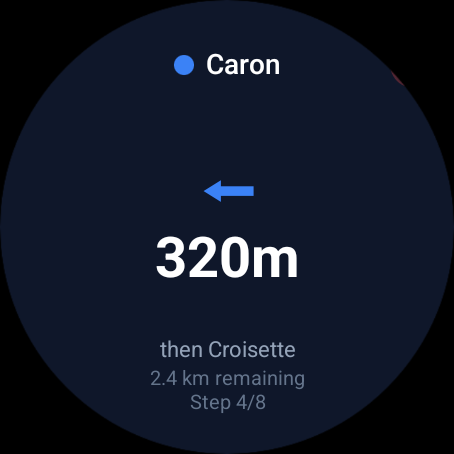
See the next turn, piste name, and distance on your wrist while tracking your ski activity.
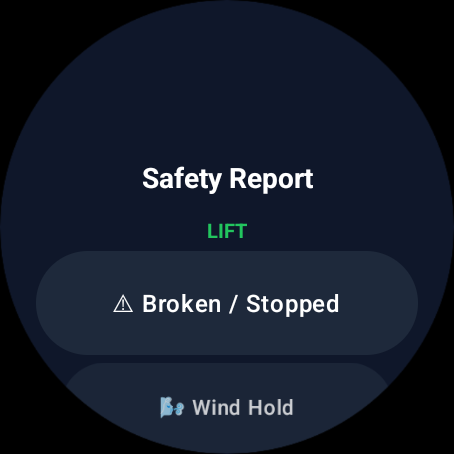
Flag hazards like broken lifts, ice, or unexpected closures directly from your watch.
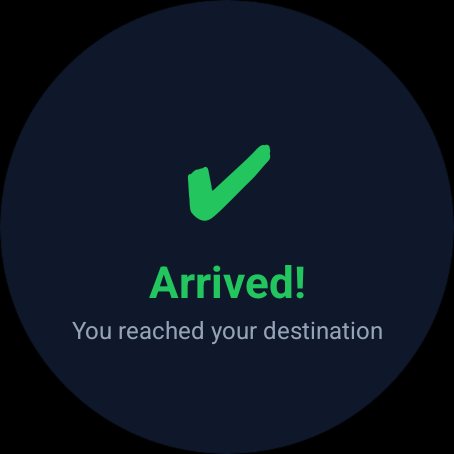
A clear arrival screen with haptic feedback when you reach your destination.
Compatible with Samsung Galaxy Watch, Google Pixel Watch, and other Wear OS 3+ devices.